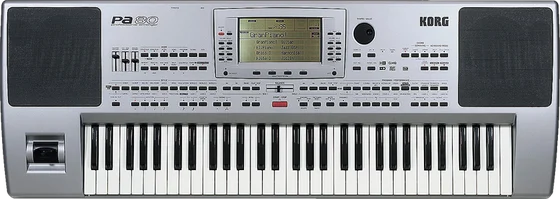
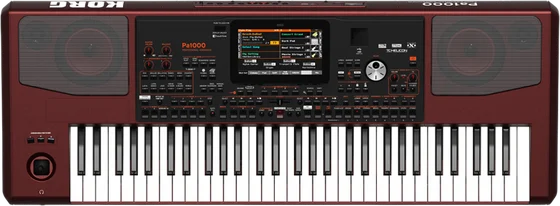
Arrangium converts a Pa80 SET into a Pa1000 SET. This direction was measured at file level on real SETs. Below you can see what happens to each type of content in this direction.
The file layouts of the two models. Rows that differ are marked: that is where the conversion does its work.
DIFFERENT · 12 / 12
Pa80Pa1000
Style object—.STY v0.5
STSSTS v0.2STS v2.0
Number of Fills24
Ending 3—✓
PerformancePERFORMANCEKEYBOARD SET
Sound (PCG)PCG v0.0PCG v5.0
Sample (PCM)—PCM v0.0
Multisample (KMP)—KMP v5.0
Voice Preset—VOC v7
Compressed samples—✓
Sample RAM—480 MB
Chord Sequence—✓
IN THIS DIRECTION
Pa80 → Pa1000: what carries over, what changes?
Each card is one content type. The rules are read from the app’s code.
STYLEADAPTED
Source StyleStyleThe accompaniment: Intro, Variation, Fill, Break and Ending elements, each with Drum, Percussion, Bass and ACC1–ACC5 tracks. Not only a drum pattern.Stored in: .STY · .stg layout not measured
The version of the Pa80 Style object is not specified in the code; Styles go through the same reader, but it has not been measured with this source.
SOUNDCARRIED
SoundsSoundA playable program built from one or more oscillators (multisamples) with filter, envelope and effect settings. Styles, the keyboard and pads call it by bank and number.Stored in: .PCG are written in the PCG v5.0 layout
Sounds are written from the PCG v0.0 layout to the PCG v5.0 layout. Factory Sounds are remapped by name or by address.
SAMPLENOT IN SOURCE
No user samples in the source
Pa80 SETs do not carry user samples; there are no samples to carry over.
PERFORMANCEADAPTED
PERFORMANCE → KEYBOARD SET
PerformancesPerformanceOn the Pa3X and earlier generations, stores the keyboard sounds and settings. The Pa4X generation and the Pa5X use the Keyboard Set for this; the two are not identical.Stored in: .PRF are re-encoded in the target’s layout; the version is lowered going down and kept going up.
VOICE PRESETNOT IN SOURCE
No Voice Presets in the source
Pa80 SETs have no Voice Preset bank.
GLOBALNOT CARRIED
GlobalGlobalThe instrument's general settings: master tune, scale, velocity curve, transpose, split point, language.Stored in: .GBL settings do not carry over
The location of the Pa80 SETUP.GBL file has not been mapped; Pa1000 uses its own global settings.
PROOF
How was this direction tested?
Set Migrator’s matrix check runs this direction on real SETs: the SET is converted, read back from disk and validated. Cases that do not fit the target are rolled back by design.
MEASUREDIN CODE · NOT MEASUREDLIMITEDNOT SUPPORTED
FREQUENTLY ASKED QUESTIONS
Questions about Pa80 → Pa1000
Yes. The Pa80 → Pa1000 direction was converted at file level on real SETs and read back. If a SET does not fit the target, the job is rolled back and the reason is stated.
Pa80 SETs do not carry user samples; there are no samples to carry over.
Global settings do not carry over
Move your Pa80 SET to a Pa1000 SET.
Arrangium is not on sale yet. Leave your email on the home page and we will tell you when it launches.