STYLE PLAYER · LIVE ARRANGER

Play your Styles on the computer, just like on the instrument.

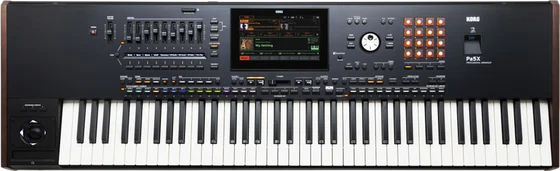
Style Player plays the StylesStyleThe accompaniment: Intro, Variation, Fill, Break and Ending elements, each with Drum, Percussion, Bass and ACC1–ACC5 tracks. Not only a drum pattern.Stored in: .STY · .stg in your SET/KST files on Windows with their own SoundsSoundA playable program built from one or more oscillators (multisamples) with filter, envelope and effect settings. Styles, the keyboard and pads call it by bank and number.Stored in: .PCG, Drum KitsDrum KitA special Sound with a separate drum or percussion sample on every key. The Style's Drum and Percussion tracks play it.Stored in: .PCG and effects. The Pa5X panel layout, Style ElementStyle ElementOne of the Style's Intro, Variation, Fill, Break or Ending elements. Each element holds its own tracks and Chord Variations (CV). The number of elements depends on the model. buttons, Pads, mixer and recording in one window.

  • With the Sounds of your own SET/KST
  • Pa5X panel layout
  • MIDI keyboard or PC keyboard
INTRO
VARIATIONS
FILL
BREAK
ENDING
START/STOP
Press an element key · yellow is playing, blinking is nextDRAWING · SILENT
ELEMENT CHANGES · AUTO FILL · FADE

The audio engine times every change.

Variation, Break and Ending come in at the next bar line. The audio engine times the change, not the screen. When the chord changes, held notes are not struck again; their pitch moves to the new chord.

  • A Fill starts at once and keeps its place in the bar; Ending 3 does not wait for the bar to end
  • AUTO FILL: Current Variation, Target Variation or Smart; the mode is in PREFERENCES, on / off is an assignable function
  • FADE IN / OUT: starts the style with the level going up, or stops it with the level going down; an assignable function
  • On a chord change, a track that comes in starts only the notes of the last beat
PANEL

Press a button, see the feature.

Like the panel’s buttons: pick one, and the screen shows that feature’s recording and details.

PANEL AND ELEMENT BUTTONS

The Pa5X panel, on screen.

Intro, Variation, Fill, Break and Ending buttons work just as on the instrument. The playing Style Element lights yellow, the next Style Element flashes.

  • Intro 1–3, Variation 1–4, Fill, Break and Ending; the Pa5X’s Count-In on the INTRO 3 button
  • LED colours taken from Pa5X photos: playing Style Element yellow, on / off buttons amber
  • The MAIN and Keys tabs of the HOME screen match the Pa5X screens
  • Joystick, ribbon and faders; CONTROL mode MAIN / KBD-PAD / STYLE
MIXER · EFFECTS

Mixer and effects, full screen.

The instrument’s mixer and effects section: Master FX, Insert FX, MFX send, Finalizer and FX Edit. Track EQ is heard during playback.

MASTER
DRUM
PERC
BASS
ACC1
ACC2
ACC3
ACC4
ACC5
Press M / S · drawing
  • Volume, pan, mute, solo and Sound selection on every Track
  • DRUM / BASS / ACC SOLO buttons
  • Use IFX / Use MFX: the selected Sound comes with its own effects
  • LEVEL BALANCE: measured Track levels are fitted to a target curve
RECORDING AND SONGS

Play, record, open your songs.

RECORDING

MP3 and 16-track MIDI recording.

Record what you play with REC/EDIT as an MP3 or as a 16-track MIDI file (SMF).

  • Audio Rec: MP3 at 256 / 192 / 128 kbps; a microphone or line-in is recorded too
  • New Song: Upper, Lower, Pads and Style Tracks on their own MIDI channels; tempo and time signature included
  • REC START: starts with REC, START or SYNC
  • Recording continues when you leave the recording page; HOME shows that it is running
SONG PLAY · JUKEBOX · SONGBOOK

Songs, Jukebox and SongBook.

Play MIDI and MP3 songs in Player 1, build a Jukebox list, and open the SongBook and Set Lists of the SET/KST.

  • Song Select: the SONG folder of the SET/KST and your computer
  • Jukebox: All Once, Single, All Loop; the list is saved as .m3u8
  • SONG BOOK pages; BOOK and SET LIST buttons on the panel
  • Step forward and back through a Set List in the Matrix
Press Q W E R T Y U … on your keyboard or click · drawing, no sound
MIDI · PC KEYBOARD

Play with a MIDI keyboard or the PC keyboard.

Connect a MIDI keyboard or use the computer keyboard. The PC keyboard’s key layout is learned and saved.

  • PC KEYBOARD page: ready-made layouts and LEARN
  • Save, load, import and export layouts
  • The second functions of panel buttons are shown in the tooltip
  • MIDI IN channels: Global, Upper 1–3, Lower, style tracks, pads and Control (panel keys by Program Change)
  • LEARN: a MIDI button or note is tied to a panel function
  • MIDI OUT: style tracks, Upper / Lower and the chord on their own channels; Clock Send, external clock and Local Control
  • A MIDI device that you plug in is found; a port it knows opens by itself
AUDIO AND CONTROL

On stage, with confidence.

  • ASIO and WASAPI ExclusiveAudio output through ASIO or WASAPI Exclusive. A look-ahead limiter protects the output.
  • Audio engine in a separate processThe audio engine can run in a separate process; an action in the interface does not interrupt the sound.
  • MIDI in and outPlay with MIDI keyboards and controllers; send the style tracks and keyboard parts out through MIDI OUT. The split point shows at its real place on screen.
  • Model differences are visibleButtons for features the loaded model does not have are dimmed: MATRIX, CATEGORY / FAVORITE, MY SETTING, ENSEMBLE.
SUPPORTED SET/KST FILES

Your SET/KST, whatever model it comes from.

Style Player opens SET/KST files from Pa1X to Pa5X. Buttons for features the loaded model does not have are dimmed.

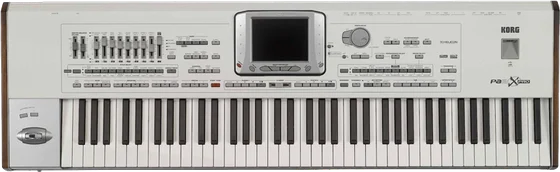
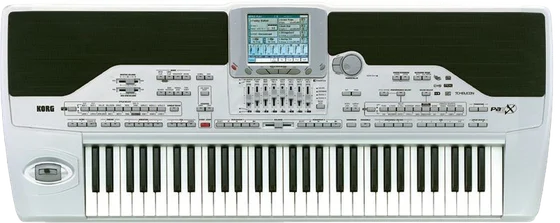
  • Pa1XPa1X
  • Pa2XPa2X
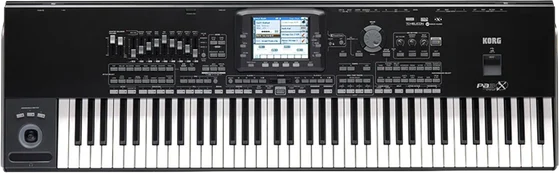
  • Pa3XPa3X
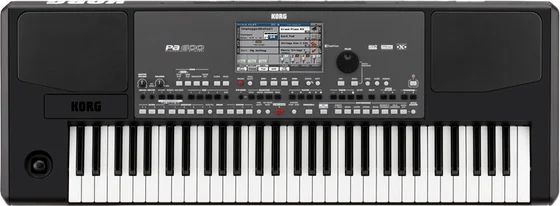
  • Pa600Pa600
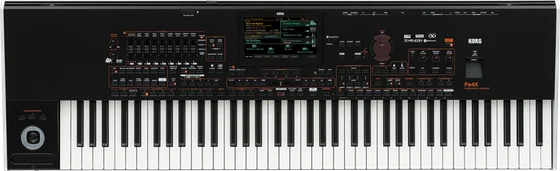
  • Pa4XPa4X
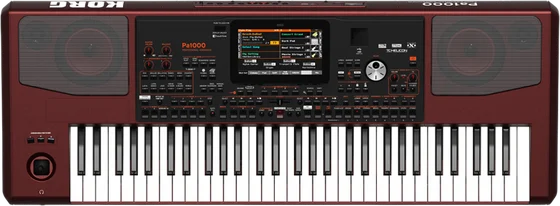
  • Pa1000Pa1000
  • Pa5XPa5X
QUESTIONS

Style Player questions.

Which models’ SET/KST files does Style Player open?

It opens SETs from Pa1X to Pa5X and Pa5X KSTs. Buttons for features the loaded model does not have appear dimmed.

Do the Styles play with the Sounds in my SET/KST?

Yes. The Style plays with the user Sounds, Drum Kits, Multisamples and Samples in your SET/KST, with its own mixer and effect settings.

Does Style Player write anything to my SET/KST?

Playing a Style does not change the SET/KST. Only the changes you make are written: Matrix edits to the SET/KST, recordings to the folder you choose.

Will the MIDI file I record play with the same Sounds on the instrument?

The file writes the Sound of each channel with its bank and program number.

LIVE ARRANGER

Be among the first to try Style Player.

Arrangium is not on sale yet. Leave your email on the home page and we will let you know at launch.

Get notified at launch 4 DECEMBER 2026 · WINDOWS 10 / 11