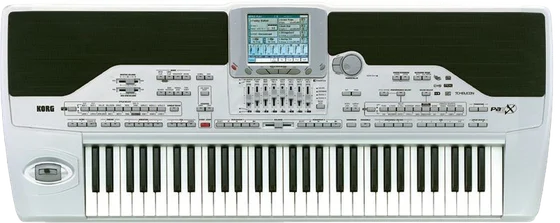
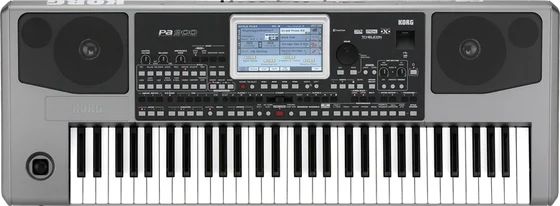
Arrangium converts a Pa1X SET into a Pa900 SET. This direction was measured at file level on real SETs. Below you can see what happens to each type of content in this direction.
The file layouts of the two models. Rows that differ are marked: that is where the conversion does its work.
DIFFERENT · 9 / 12
Pa1XPa900
Style object.STY v0.2.STY v0.5
STSSTS v0.xSTS v1.0
Number of Fills24
Ending 3—✓
PerformancePERFORMANCEPERFORMANCE
Sound (PCG)PCG v0.0PCG v3.0
Sample (PCM)PCM v0.2–0.4PCM v0.0
Multisample (KMP)KMP (Pa1X)KMP v3.0
Voice PresetVOC v0VOC v3/v4
Compressed samples——
Sample RAM32 MB192 MB
Chord Sequence——
IN THIS DIRECTION
Pa1X → Pa900: what carries over, what changes?
Each card is one content type. The rules are read from the app’s code.
STYLECARRIED
StylesStyleThe accompaniment: Intro, Variation, Fill, Break and Ending elements, each with Drum, Percussion, Bass and ACC1–ACC5 tracks. Not only a drum pattern.Stored in: .STY · .stg are read as they are
The target’s Style limit is equal to or higher than the source’s: the Style is read as it is and written in the Pa900 layout.
SOUNDCARRIED
SoundsSoundA playable program built from one or more oscillators (multisamples) with filter, envelope and effect settings. Styles, the keyboard and pads call it by bank and number.Stored in: .PCG are written in the PCG v3.0 layout
Sounds are written from the PCG v0.0 layout to the PCG v3.0 layout. Factory Sounds are remapped by name or by address.
SAMPLECARRIED
Samples carry over
User samples and multisamples are written in the Pa900 SET’s layout; the sample itself does not change.
RAMCARRIED
More RAM in the target: 32 MB → 192 MB
The SET fits the target easily, with room to spare.
PERFORMANCECARRIED
PerformancesPerformanceOn the Pa3X and earlier generations, stores the keyboard sounds and settings. The Pa4X generation and the Pa5X use the Keyboard Set for this; the two are not identical.Stored in: .PRF carry over
Both models use PERFORMANCE; Performances are written in the target’s version.
VOICE PRESETNOT CARRIED
Voice Presets are not carried over
There is no converter between VOC v0 and VOC v3/v4.
SONGBOOKNOT CARRIED
SongBook is not carried over
Pa1X SongBook versions have not been seen in Pa900 SETs, and there is no template song for Pa900.
GLOBALADAPTED
GlobalGlobalThe instrument's general settings: master tune, scale, velocity curve, transpose, split point, language.Stored in: .GBL settings are adapted
Set Migrator takes the Pa900 factory GLOBAL as its base and writes these from the Pa1X SET: master tuning, scale, key, style group levels, velocity curve and MIDI presets. My Setting, bank names and language stay at the Pa900 factory values.
PROOF
How was this direction tested?
Set Migrator’s matrix check runs this direction on real SETs: the SET is converted, read back from disk and validated. Cases that do not fit the target are rolled back by design.
MEASUREDIN CODE · NOT MEASUREDLIMITEDNOT SUPPORTED
FREQUENTLY ASKED QUESTIONS
Questions about Pa1X → Pa900
Yes. The Pa1X → Pa900 direction was converted at file level on real SETs and read back. If a SET does not fit the target, the job is rolled back and the reason is stated.
User samples and multisamples are written in the Pa900 SET’s layout; the sample itself does not change.
Voice Presets are not carried over · SongBook is not carried over
Move your Pa1X SET to a Pa900 SET.
Arrangium is not on sale yet. Leave your email on the home page and we will tell you when it launches.