




















Zwischen 16 Modellen: Wohin lässt sich Ihr Set übertragen?
Arrangium wandelt ein Korg-Arranger-SET/KST in das Set eines anderen Modells um. Unten finden Sie jede Richtung zwischen 16 Modellen: welche gemessen, welche eingeschränkt und welche nicht unterstützt ist. Klicken Sie auf eine Zelle, um die Details dieser Richtung zu öffnen.
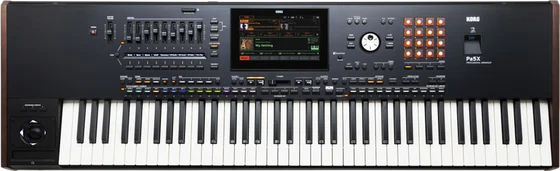
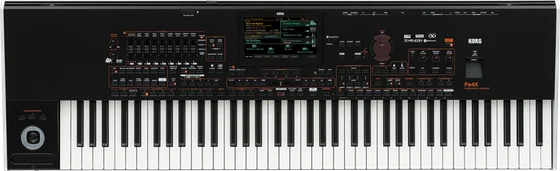
| Pa5X | KONVERTIERUNG | Pa4X |
|---|---|---|
| .STGSTYLE.stg (KST) | ANGEPASST | .STYSTYLE.STY v0.5 |
| ||
| Drum · Perc · Bass · Acc1–Acc5 | KONVERTIERT | Drum · Perc · Bass · Acc1–Acc5 |
| Intro 1–2 · Count-In | ANGEPASST | Intro 1–3Count-In ↔ Intro 3 |
| Variation 1–4 | KONVERTIERT | Variation 1–4 |
| Fill 1–4 | KONVERTIERT | Fill 1–4 |
| Break | KONVERTIERT | Break |
| Ending 1–3 | KONVERTIERT | Ending 1–3 |
| Original Chord · Original Key | KONVERTIERT | Original Chord · Original Key |
| Chord Track | EINGESCHRÄNKT | Intro-/Ending-Noten |
| ||
| Style · STS-Name | EINGESCHRÄNKT | Style · STS-Name |
| ||
| Keyboard Set 1–4 | ANGEPASST | Keyboard Set 1–4v2.0 |
| ||
| ScaleOctaveTuning | EINGESCHRÄNKT | ScaleKeyboard Set |
| ||
| Pad 1–4 | ANGEPASST | Pad 1–4 |
| ||
| Master FX · StyleMFX A1–A3 | EINGESCHRÄNKT | Master FX · StyleFX A1–A3 |
| ||
| Master FX · Keyboard SetMFX B1–B3 | EINGESCHRÄNKT | Master FX · Keyboard SetFX B1–B2 |
| ||
| Insert FXIFX A1–A10bis zu 3 pro Track | EINGESCHRÄNKT | Insert FXIFX 1–4bis zu 2 pro Track |
| ||
| EQTrimLowMidHigh | KONVERTIERT | EQTrimLowMidHigh |
| ||
| .KSCKEYBOARD SETKEYBOARDSET/*.ksc | ANGEPASST | .PRFKEYBOARD SETKEYBOARDSET/*.PRF |
| ||
| Part 1–4LOWUP1–3 | KONVERTIERT | Part 1–4LOWUP1–3 |
| Sound | ANGEPASST | Sound |
| ||
| MixerVolumePanMute | KONVERTIERT | MixerVolumePanMute |
| SetupDetuneOctaveBend | KONVERTIERT | SetupDetuneOctaveBend |
| FX Send1–3 | EINGESCHRÄNKT | FX Send1–2 |
| ||
| Master FX · KeyboardMFX B1–B3 | EINGESCHRÄNKT | Master FX · KeyboardFX B1–B2 |
| ||
| EQpro Part | KONVERTIERT | EQpro Part |
| Ensemble | KONVERTIERT | Ensemble |
| Name | EINGESCHRÄNKT | Name |
| ||
| .PDCPAD | ANGEPASST | .PADPAD |
| ||
| .PCGSOUNDSPCG v8.0 | ANGEPASST | .PCGSOUNDSPCG v6.0 |
| ||
| OszillatorMultisampleVelocity | ANGEPASST | OszillatorMultisampleVelocity |
| ||
| PitchBendPortamentoAMS | KONVERTIERT | PitchBendPortamentoAMS |
| ||
| Filter | KONVERTIERT | Filter |
| Amp | KONVERTIERT | Amp |
| EGPitchFilterAmp | KONVERTIERT | EGPitchFilterAmp |
| LFO | KONVERTIERT | LFO |
| FXFX 1–6 | EINGESCHRÄNKT | FXFX 1–4 |
| ||
| .PCGDrum KitDrum KitEin besonderer Sound mit einem eigenen Drum- oder Percussion-Sample auf jeder Taste. Die Spuren Drum und Percussion des Styles spielen ihn.Gespeichert in: .PCG · UserPCG v8.0 | ANGEPASST | .PCGDrum Kit · UserPCG v6.0 |
| Tasten0–127 | ANGEPASST | Tasten0–127 |
| ||
| EbenenVelocity Switch | KONVERTIERT | EbenenVelocity Switch |
| Drum-Sample | ANGEPASST | Drum-Sample |
| ||
| PitchTransposeTune | KONVERTIERT | PitchTransposeTune |
| AmpLevelAttackDecay | KONVERTIERT | AmpLevelAttackDecay |
| FilterCutoffResonance | KONVERTIERT | FilterCutoffResonance |
| EQ | KONVERTIERT | EQ |
| Round RobinPlay Mode | NICHT KONVERTIERT | —Pa4X speichert dies nicht |
| .KMPMULTISAMPLEKMP v8.0 | ANGEPASST | .KMPMULTISAMPLEKMP v5.0 |
| KeymapZoneTop KeyOriginal Key | ANGEPASST | KeymapZoneTop KeyOriginal Key |
| ||
| Sample-VerknüpfungID | ANGEPASST | Sample-VerknüpfungID |
| ||
| .PCMSAMPLEPCM v2.0kann komprimiert sein | ANGEPASST | .PCMSAMPLEPCM v0.0kann komprimiert sein |
| ||
| AudioSample rate | KONVERTIERT | AudioSample rate |
| ||
| Stereo | ANGEPASST | Stereo |
| ||
| Kompressionkann komprimiert sein | KONVERTIERT | Kompressionkann komprimiert sein |
| Loop · One Shot | KONVERTIERT | Loop · One Shot |
| ||
| ObjektPCM v2.0 | ANGEPASST | ObjektPCM v0.0 |
| ||
| .VOCVOICE PRESETVOC v8 | NICHT KONVERTIERT | —kein Konverter für Pa5X v8 |
| .SBDSONGBOOK | ANGEPASST | .SBDSONGBOOK |
| ||
| .QTPQUARTER TONEQTPRESET/QTPRESET.QTP | ANGEPASST | .QTPQUARTER TONEGLOBAL/QTPRESET.QTP |
| ||
| CHORD SEQUENCEIm Style | ANGEPASST | CHORD SEQUENCEStyle-Einstellungen |
| ||
| .GBLGLOBALSETUP.GBL | EINGESCHRÄNKT | .GBLGLOBALSETUP.GBL |
| ||
| Master Tuning | KONVERTIERT | Master Tuning |
| Scale · Key | KONVERTIERT | Scale · Key |
| Pegel der Style-Gruppen | KONVERTIERT | Pegel der Style-Gruppen |
| Velocity-Kurve0–7 | NICHT KONVERTIERT | —Pa5X-Skala 0–7, nicht abgebildet |
| Feste Velocity | KONVERTIERT | Feste Velocity |
| MIDI-PresetsMIDI.MPR | NICHT KONVERTIERT | —eine Pa5X-MIDI.MPR enthält die eigenen Werks-Presets des Pa5X |
| Andere Global-SeitenMy SettingMIDILanguage | NICHT KONVERTIERT | —bleiben auf den Werkswerten des Pa4X |
Was, wenn es nicht passt? Entdecken Sie die Optimierung.
Erst bewahren. Optimieren, wenn nötig.
Set Migrator vergleicht den Sample-Speicherbedarf der gewählten Inhalte mit der Kapazität des Zielgeräts. Passen die Inhalte, werden die Samples unverändert geschrieben. Passen sie nicht, bietet Set Migrator Sample-Komprimierung, Multisample-Ausdünnung und das Weglassen ungenutzter Multisamples an, jeweils mit der geschätzten Wirkung; die Entscheidung liegt bei Ihnen.
Bewahren Sie, was passt. Optimieren Sie den Rest kontrolliert.
-
1 · ANALYSE
Kapazitätsanalyse
Jedes Sample wird nur einmal gezählt und mit dem Sample-Speicher und der Sample-Höchstzahl des Ziels verglichen. Wird ein Drum Kit nur mit seinen gespielten Tasten übertragen, zählen nur diese Tasten.
BEISPIELSZENARIO · KEINE ECHTE MESSUNGBeispielergebnis einer Konvertierung
KAPAZITÄT ÜBERSCHRITTEN- Speicherbedarf
- 2,4 GB
- Zielkapazität
- 1,5 GB
- Fehlende Kapazität
- 0,9 GB
Ziel 1,5 GB160 % Kapazitätsauslastung · Überschreitung 0,9 GB
Ohne Optimierung übersteigt der Speicherbedarf des Beispiel-SET/KST die Kapazität des Zielgeräts um 0,9 GB. Eine unveränderte Übertragung bedeutet in diesem Szenario nicht, dass es ins Ziel passt.
Beispielbedarf: 60 % der Quellkapazität (fiktiv)
Nutzungsanalyse für Drum KitsOptional · pro Drum Kit wählbarAus den Notendaten der Styles, die das Drum Kit nutzen, wird ermittelt, welche Tasten wirklich angeschlagen werden. Ein Drum Kit kann mit allen Tasten oder nur mit den Tasten übertragen werden, die diese Styles spielen; die Wahl erfolgt pro Drum Kit, und aus dem Quell-SET/KST wird nichts gelöscht.- Konnte auch nur einer der gewählten Styles nicht gemessen werden, wird das Drum Kit vollständig übertragen.
- Ein Drum Kit, das eine PerformancePerformanceSpeichert beim Pa3X und früheren Generationen die gespielten Sounds und die Keyboard-Einstellungen. In der Pa4X-Generation und beim Pa5X übernimmt das Keyboard Set diese Aufgabe; beide Strukturen sind nicht identisch.Gespeichert in: .PRF spielt oder das einzeln gewählt wurde, wird vollständig übertragen.
- Standardmäßig wird ein Drum Kit vollständig übertragen. Nur die gespielten Tasten wählen Sie in Set Migrator mit KEYS in der Zeile des Drum Kits und in Set Commander pro Drum Kit; die Speicherberechnung folgt der Auswahl.
-
2 · ENTSCHEIDUNG
Passt es ins Ziel?
✓ PASSTPasst es, bleibt alles unberührtDie Standardantwort lautet „unverändert“: keine Komprimierung, keine Ausdünnung und kein anderer Eingriff, der den Klang beeinflusst.
UNVERÄNDERT✕ PASST NICHTPasst es nicht, bestimmen Sie die OptimierungsmethodeWird die Zielkapazität überschritten, können Sie die automatische Optimierung wählen oder die Vorgänge manuell auswählen. In beiden Fällen sehen Sie die Ergebnisse vor dem Schreiben zur Prüfung.
↓ 3 · METHODE -
3 · METHODE
Wählen Sie die Optimierungsmethode
Automatische OptimierungOPTIMIZE FOR SIZE: Komprimierung (wenn das Ziel sie unterstützt), Ausdünnung der ZonenZoneDer Tastenbereich, in dem ein Sample eines Multisamples spielt; er wird mit seinem Grundton gespeichert. und Weglassen ungenutzter Multisamples werden gemeinsam angewendet. Jeder Schritt und seine mögliche Wirkung auf die Qualität werden in REVIEW angezeigt; ohne Ihre Bestätigung wird nichts geschrieben.
Manuelle OptimierungSie können nur die Sample-Komprimierung oder nur die Ausdünnung der Zonen wählen; auf der Seite CONTENT wird die Ausdünnung einzeln für jeden Sound, jedes Drum Kit oder Multisample markiert. Die Änderungen werden vor dem Schreiben geprüft.
-
4 · PRÜFUNG
REVIEW: das geschätzte Ergebnis sehen
In beiden Modi zeigt der Schritt REVIEW das geschätzte Ergebnis und wartet vor dem Schreiben auf Ihre Bestätigung. Die Schätzung ist eine Obergrenze, kein exaktes Ergebnis.
-
5 · SCHREIBEN
Mit Ihrer Bestätigung geschrieben und geprüft
Das konvertierte SET/KST wird nach Ihrer Bestätigung geschrieben und im Schritt VALIDATE zurückgelesen und geprüft. Wird das Ziel trotzdem überschritten, wird das klar gesagt; Styles, die nicht passen, bleiben für ein anderes SET übrig.
KONVERTIERT: in dieselbe Struktur übertragen · ANGEPASST: in die Struktur des Ziels umgesetzt · EINGESCHRÄNKT: ein Teil entfällt oder hängt von einer Bedingung ab · NICHT KONVERTIERT: für diese Richtung gibt es keinen Konverter
Beliebte Konvertierungen.
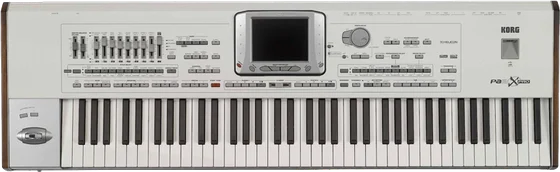
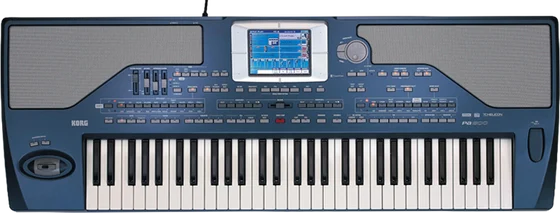 →
Quelle links, Ziel oben.
Jede Zelle ist eine Richtung. Die Farbe zeigt den Status dieser Richtung; ein Klick öffnet die Details.
GEMESSEN = IN ECHTEN SETS AUF DATEIEBENE KONVERTIERT UND ZURÜCKGELESEN
Von jedem Quellmodell aus.
Fragen zur SET-Konvertierung
In dieser Richtung wurden echte SETs konvertiert, von der Festplatte zurückgelesen und geprüft.
Das Style-Layout dieser Generation wurde nicht gemessen; Set Migrator lehnt sie als Ziel ab. Als Quelle werden diese SETs gelesen.
Nein. Die Konvertierung wird in ein neues Ziel-SET geschrieben; das Quell-SET wird nur gelesen und bleibt unverändert.
Bringen Sie Ihr SET auf Ihr neues Instrument.
Arrangium ist noch nicht erhältlich. Hinterlassen Sie Ihre E-Mail-Adresse auf der Startseite, und wir benachrichtigen Sie zum Start.
Benachrichtigung zum Launch 4. DEZEMBER 2026 · WINDOWS 10 / 11